
Every task you do throughout the day leaves a mark on your body. Poor posture while cooking dinner, awkward wrist angles during a crafting session, and hunching over a steering wheel on your commute all pile up as cumulative stress on muscles and joints.
According to the Bureau of Labor Statistics, musculoskeletal disorders make up nearly one-third of workplace injuries requiring time off. These same patterns show up outside the office, from gardening to carrying groceries and scrolling your phone.
The good news is that simple ergonomic changes make a real difference. Small adjustments to posture, tool use, and break habits reduce injury risk and build lasting comfort, often without any special equipment.
What Makes an Activity Ergonomic
An ergonomic activity is any task performed in a way that works with your body’s natural mechanics rather than against them. It prioritizes neutral joint positions, balanced force distribution, and regular movement variation to reduce stress on your tissues.
Three core principles apply no matter what you’re doing. Keep your joints in their mid-range of motion, bring work close to your body instead of reaching or twisting, and switch between postures often to prevent static loading on any single muscle group.
OSHA identifies six primary risk factors that make activities non-ergonomic: repetition, forceful exertions, awkward postures, static positions, contact stress, and vibration. Spotting these factors in your daily routine is the first step toward correcting them before they cause lasting damage.
The National Institute for Occupational Safety and Health (NIOSH) reports that proper ergonomic interventions reduce musculoskeletal injury rates by up to 59% and cut lost workdays by 75%. Those numbers aren’t limited to office cubicles. They apply to every daily activity that involves repetitive motion or sustained positioning.
Ergonomic Activities at Your Desk
The most impactful desk activities involve proper workstation setup paired with regular micro-breaks throughout your workday.
Setting Up Your Workstation
Where you place your monitor sets your neck posture for the entire workday. Position the top at or slightly below eye level, roughly 20 to 26 inches away, so you can read without tilting your head.
Your chair needs to support your spine’s natural S-curve with feet resting flat on the floor. Adjust the seat height until your thighs sit parallel to the ground and your elbows land at approximately 90 degrees while typing.
Place your keyboard directly in front of you with your shoulders relaxed and wrists floating above the keys. Keep your mouse at the same height as your keyboard, within arm’s reach, to prevent shoulder elevation and wrist deviation.
A document holder between your monitor and keyboard eliminates the repeated head turning that creates neck strain during reference-heavy tasks. It’s one of the simplest ways to cut upper trapezius tension that desk workers deal with daily.
Micro-Breaks and Movement Patterns
The 20-20-20 rule is one of the easiest ways to fight digital eye strain. Every 20 minutes, look at something 20 feet away for 20 seconds to give your ciliary muscles a chance to reset.
Stand up and move for at least two minutes every 30 minutes of seated work. Refill your water bottle, stretch at your desk, or shift between sitting and standing if you’ve got a height-adjustable surface.

Shoulder rolls, wrist circles, and gentle neck tilts during brief pauses restore blood flow to compressed tissues. These take only seconds and prevent the stiffness that builds into real discomfort by mid-afternoon.
Ergonomic Activities at Home
Cooking, cleaning, and yard work create just as much repetitive strain as office work, but most people never think to correct it.
Kitchen and Cooking
Counter height shapes your posture during every meal you prepare. If your countertop forces you to hunch forward, place a cutting board on a raised platform to bring your work closer to elbow height.
Hold knives with a full grip rather than pinching the blade. Alternate between chopping, stirring, and plating to distribute repetitive motion across different muscle groups.
Store your most-used pots, pans, and utensils between waist and shoulder height. Reaching overhead repeatedly or bending to floor-level shelves adds cumulative strain to your shoulders and lower back with every meal you cook.
Anti-fatigue mats at the sink and main prep area cushion the impact of prolonged standing on hard kitchen floors. Your feet, knees, and lower back will thank you during longer sessions.
Cleaning and Housework
Set mop and vacuum handles to a length that lets you stand upright while cleaning. Power your forward movement with your legs rather than your lower back.
Carry laundry baskets close to your torso using both arms rather than balancing them on one hip. For heavy loads, split contents into two smaller containers to balance weight evenly.
Kneel on a cushioned pad instead of bending at the waist when scrubbing floors or tubs. A garden kneeler protects your lumbar spine from the forward flexion that leaves you sore the next morning.
Gardening
Long-handled tools eliminate most of the bending and crouching that makes outdoor work painful. Raised garden beds bring plants to a comfortable working height and remove the need for ground-level kneeling entirely.
Take five-minute breaks every 20 minutes when using ergonomic garden tools. Rotate between digging, pruning, planting, and watering so no single muscle group stays under sustained load for too long.

Wear padded gloves to absorb vibration from powered tools and reduce contact stress. Keep water nearby, since dehydrated muscles fatigue and cramp more easily during outdoor work.
Ergonomic Activities for Hobbies
Creative hobbies and gaming sessions involve sustained postures and fine motor patterns that quietly build strain over time.
Crafts, Sewing, and Needlework
Position your work surface at elbow height so you’re not hunching forward. Tilting your work toward you on an angled surface reduces neck flexion and brings details into better view without straining your eyes.
Use ergonomic crochet hooks and tools with padded, contoured grips that keep your wrist neutral. These designs cut the pinch force needed to hold small instruments during extended crafting sessions.
Follow the 20-minute focus rule for all close-up handwork. After 20 minutes of concentrated needlework, sewing, or painting, look at a distant point and stretch your hands and wrists for at least 30 seconds.
Playing Musical Instruments
Adjust your seat height so your hips and knees stay level while performing. For keyboard instruments, your hands should fall naturally to the keys when your arms hang relaxed at your sides with elbows bent at roughly 90 degrees.
String instrument players benefit from design modifications like beveled guitar bodies and lighter viola or cello designs. These reduce contact pressure at common pinch points and allow more neutral arm positioning during extended rehearsals and performances.
Warm up your hands and forearms with gentle stretches before picking up any instrument. Cold, stiff muscles are far more susceptible to repetitive strain injury (RSI), and five minutes of preparation can save you hours of painful recovery afterward.
Gaming and Screen-Based Hobbies
Sit directly in front of your display at a distance where you can view the full screen without tilting or turning your head. Hold your controller with arms relaxed at your sides and wrists straight, applying the lightest possible touch on buttons and triggers.
Take a full standing break every 45 to 60 minutes during gaming sessions. Walk around, do some shoulder and wrist stretches, and let your eyes refocus on a distant object before heading back to the screen.

Reduce vibration feedback if your hands feel fatigued during longer sessions. Extended haptic vibration contributes to hand and forearm discomfort that compounds across multiple consecutive gaming days.
Ergonomic Activities for Fitness
Targeted stretching and low-impact exercise strengthen the postural muscles that keep you in safe, neutral positions during every other task.
Stretching Routines
Dynamic stretches before activity and static holds afterward produce the strongest protective results. Prioritize the muscle groups most relevant to your daily tasks: hip flexors, hamstrings, and chest openers for desk workers; forearm and shoulder stretches for manual work.
Hold each static stretch for 20 to 30 seconds without bouncing. Stretching should create gentle tension rather than pain, and steady, controlled breathing through each hold improves flexibility gains faster than forced effort ever will.
Target your wrists, forearms, and neck if you spend most of your day at a desk or doing detailed handwork. Even a short three-minute routine before bed noticeably reduces morning joint stiffness over the first couple of weeks.
Low-Impact Exercise
Walking, swimming, and cycling strengthen the postural muscles that maintain ergonomic positioning throughout the day. Research published in JAMA Internal Medicine shows that just 20 minutes of daily movement reduces lower back pain risk by up to 32%.
Good form during exercise is itself a protective habit. Maintain a neutral spine during planks, keep your knees tracking over your toes during squats, and avoid locking your joints at full extension during any repetitive movement.
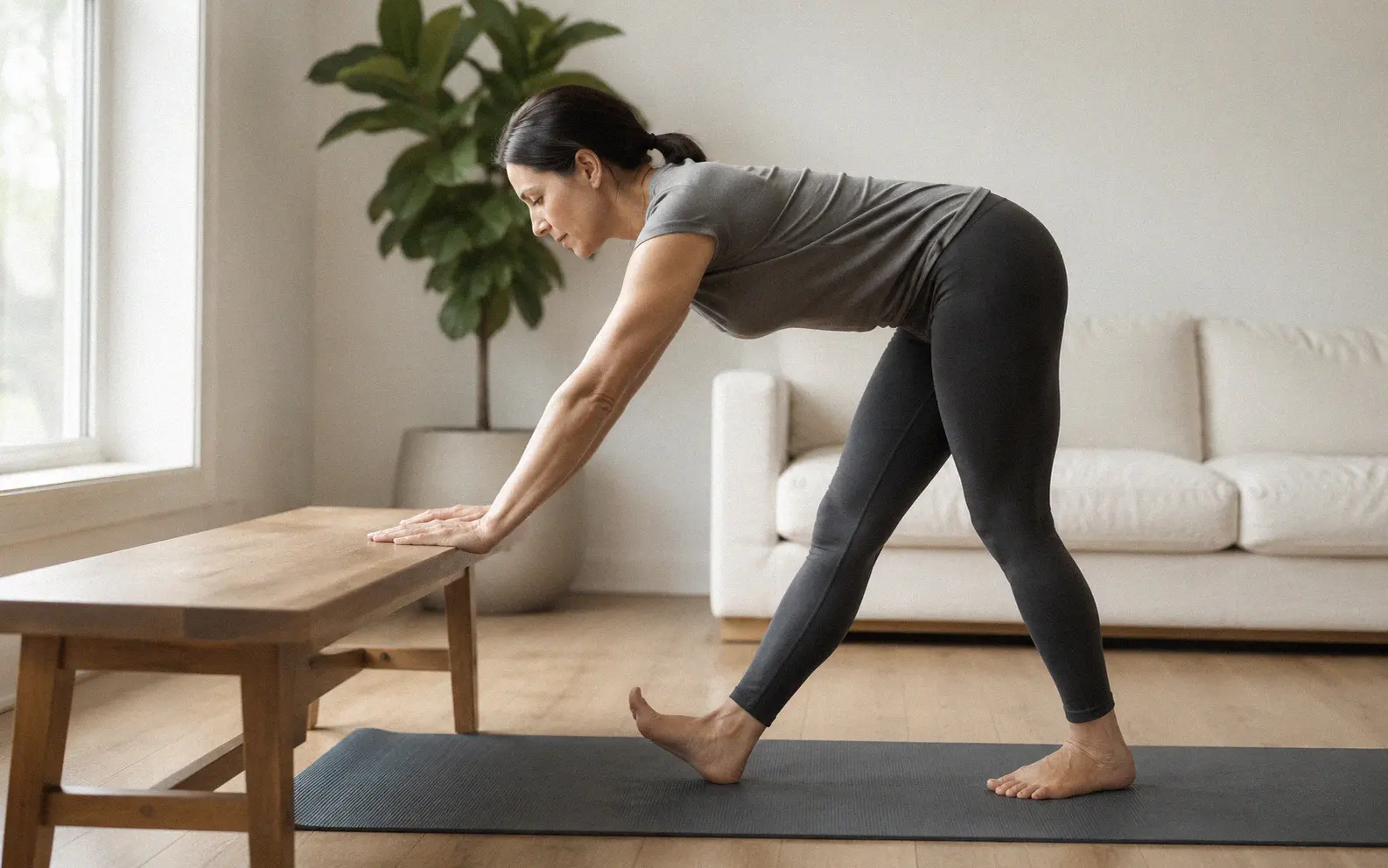
Yoga and Pilates specifically target the deep stabilizer muscles that support your spine and pelvis during seated and standing tasks alike. Two sessions per week build core endurance that makes every other posture adjustment sustainable.
Ergonomic Activities On the Go
Driving and Commuting
Position your seat so your knees bend slightly and your back presses fully against the lumbar support. Your hands should reach the steering wheel at the 9 and 3 o’clock positions with a comfortable elbow bend, and our full guide to driving ergonomics covers seat adjustment in greater detail.
Shift your seated position every 15 to 20 minutes on longer drives. Roll your shoulders backward, adjust your grip on the wheel, and vary your foot pressure to prevent the static loading that drives neck and upper back stiffness on commutes.
Carrying Bags and Backpacks
Wear both straps of your backpack and position it just below your shoulders so weight rests on your hips and pelvis. Keep the total load under 10 to 15 percent of your body weight to prevent spinal compression.
Pack heavier items closest to your back and lighter objects toward the outside of the bag. A waist belt and chest strap redistribute the load away from your shoulders, cutting the downward pull on your cervical and thoracic spine.
For single-strap messenger bags, alternate the carrying shoulder every 10 to 15 minutes. Sustained one-sided loading creates muscle imbalances in the upper back that get worse over weeks of daily repetition.
Ergonomic Activities for Rest and Recovery
How you sleep and use screens during downtime directly shapes how your body feels the next morning.
Sleep Posture
Side sleeping with a supportive pillow between your knees maintains spinal alignment throughout the night. Your head pillow should fill the gap between your shoulder and ear to prevent lateral neck flexion that causes morning stiffness.
Back sleepers do well with a small pillow or rolled towel positioned under the knees. This gentle bend relieves pressure on the lumbar spine and keeps the lower back from arching excessively during seven or eight hours of sleep.
Your mattress matters as much as your position. A medium-firm surface keeps your spine from sagging, while a mattress that’s too soft lets your hips sink and throws your vertebrae out of neutral alignment.
Reading and Device Use
Hold tablets and phones at eye level rather than looking down into your lap. A device stand, pillow prop, or adjustable arm eliminates the sustained neck flexion that drives “tech neck” symptoms like chronic headaches and upper back pain.
Limit continuous handheld device use to 10 to 15-minute sessions before switching your grip or resting your hands entirely. Stretch your thumbs, rotate your wrists, and spread your fingers wide to counteract the repetitive flexion that compresses small hand joints.

If you read physical books for long stretches, prop them on a pillow or stand at a 30 to 45-degree angle. Looking straight down at flat pages creates the same neck flexion problems as phone scrolling.
Signs Your Daily Activities Need an Ergonomic Overhaul
Persistent soreness that shows up after routine tasks signals a mismatch between your body and your environment. Tingling or numbness in your hands, neck stiffness after cooking, and lower back pain following housework are all early warning signs that your movement patterns need correction.
Frequent headaches connected to screen use or close-up handwork point to eyestrain compounded by poor posture. Unexplained fatigue that hits earlier in the day than it should often traces directly to inefficient body positioning during activities you do on autopilot.
If stretching and rest don’t resolve your discomfort within a few days, see an ergonomic specialist or physical therapist. Catching these patterns early prevents them from developing into chronic conditions like carpal tunnel syndrome, thoracic outlet syndrome, or degenerative disc disease.